The Residency Program Director (RPD) role can be reassigned to new permanent RPD. PharmAcademic also allows programs to assign an Interim RPD when the permanent RPD is on leave and unable to manage the program.
This task can be completed by the RPD or Designee.
Before You Begin
- You must obtain approval from ASHP Accreditation Services Division (ASD) before assigning a new permanent RPD by emailing asd@ashp.org.
- The new RPD must already be added to the residency program as a preceptor or staff member to select them in PharmAcademic as the RPD.
- Review any outstanding RPD tasks before making the change, as tasks may be transferred to the new RPD.
- If the original RPD still needs access during the transition, make sure they have the Designee role.
- An Interim RPD may be assigned when the permanent RPD is on leave and needs another individual to manage program responsibilities temporarily.
Instructions
- Click the Manage Program button and go to the Tools tab.
- Click Change Residency Program Director.
- Select New Permanent RPD as the type of RPD change.
- Review the alert regarding ASD approval and click Next.
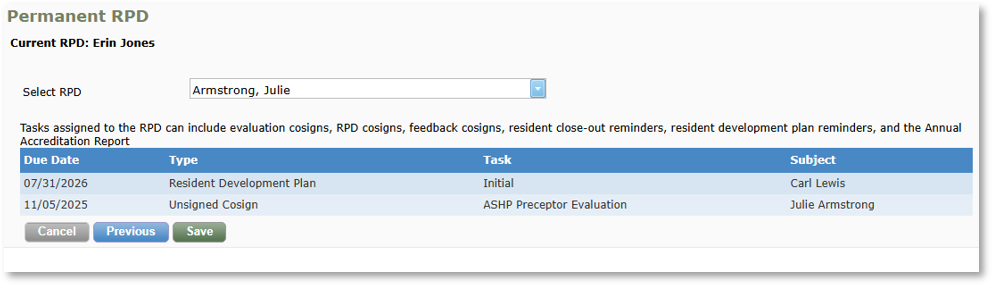
- Select the new RPD from the drop-down list. Note: If the individual is not listed, add them to the program before proceeding.
- Review the list of tasks that will be assigned to the new RPD. If any tasks should be completed before the transition, click Cancel, complete the tasks, and return to this process.
- Click Save.