
Specialty pathways allow approved PGY2 Pediatric residency programs to assign the appropriate appendix to each resident during enrollment. Residents can be assigned to the General, Critical Care, or Oncology pathway. While appendix requirements vary by pathway, all residents share the same Competency Areas, Goals, and Objectives (CAGOs). Specialty pathways are currently only available for PGY2 Pediatric residency programs.
This task can be completed by RPDs or Designees.
Important: Once a resident is enrolled, their pathway cannot be changed. Confirm the correct pathway before completing enrollment.
Before You Begin: Verifying Designation
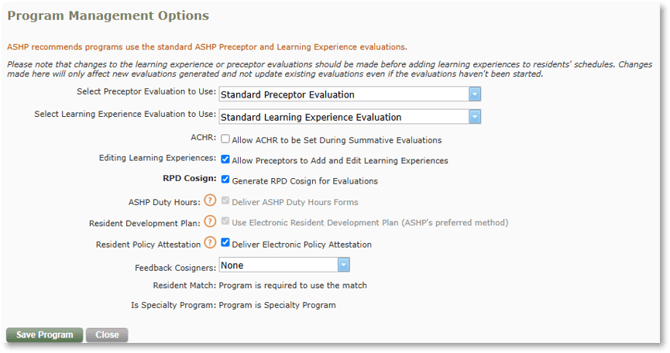
Click the Manage Program button and verify that your program is designated as a Specialty Program on the Details tab. If not, please contact support@mccreadiegroup.com.
Instructions for Selecting Specialty Pathways for Individual Residents
- Begin enrolling the resident in PharmAcademic.
- In the Specialty Program section, select the correct pathway/appendix for the resident.
- Review the assigned Competency Areas, Goals, Objectives, and Appendix that display after the pathway is selected.
- Complete the resident enrollment process.
- Go to the resident’s Appendix tab and verify the correct pathway is indicated.