
Once a monitor submits a request for a visit, they will display on the main facilities calendar. The requests display on the right side under Monitor Visit Requests.
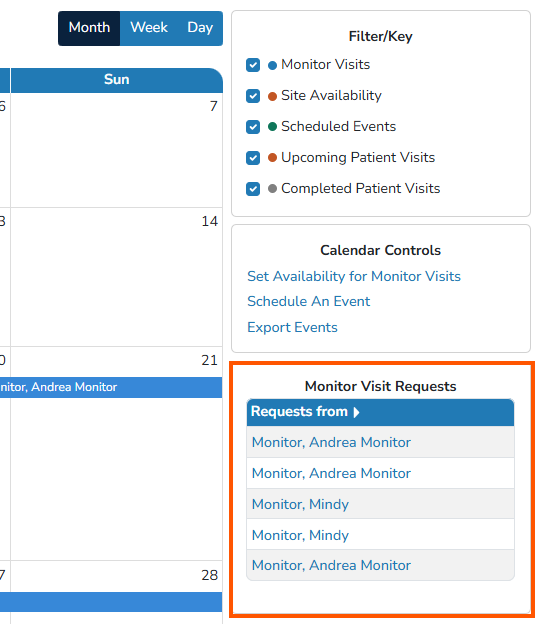
Users will want to select the monitor's name to accept or reject the request. The request information and details will open in a pop up window for user review
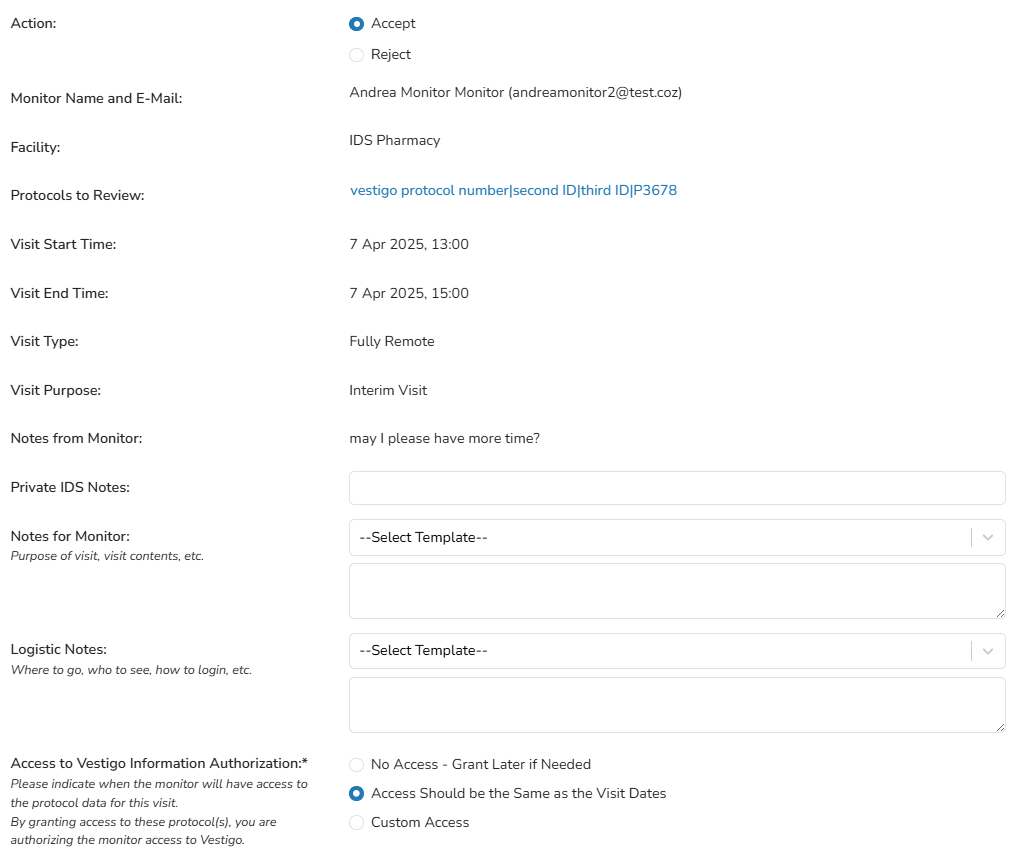
Users must determine if they are to accept or reject the request
- If accepted, the user will enter details about the visit and access. Only one protocol can be added on a request. If an additional protocol is to be added, that must be on a separate request or done via Protocol Management. The entry will display on the calendar with the time and name. If a visit spans more than one day, the entry will cover the number of days.
- If rejected, the user will enter a reason for the rejection. This reason is visible to IDS and Verify users.
The Vestigo Verify users will receive an email notification on request acceptance or rejection. The email that is sent can also be reviewed in the Verify user's My Communication tab once they are authenticated.