
Adding protocol contacts to each protocol can help expedite information and communication exchanges between the IDS and Study Teams. Protocol Contacts are also used during the dispensing process and appear in various reports through Vestigo.
Vestigo provides a tool to quickly add multiple contacts in bulk based off details from the contact record.
Prerequisites
- Contact records must exist in the address book prior to being added to a protocol. To learn more about the address book, please review our Address Book article.
- (Recommended) The Contact records must have a value entered in the service or department fields.
Required Permissions
ProtocolSnapshot – Ability to view the Summary page of a Protocol (Protocol Snapshot)
ViewContacts – View contacts in a protocol
ProtocolManagement – Allows a user to have the “Edit Protocol” option and access to the Main tab
EditProtocolContacts– Ability to edit Protocol Local tab. Protocol Management permissions are required
Adding Protocol Contacts
Warning - Monitors should not be added a protocol contact. They will be managed through the Monitor Visits tab of the protocol.
- Navigate to the protocol
- Click the Contacts Tab
- Click on Manage
- Click Select Contacts in Bulk
- Select a Contact Role from the drop down menu
Caution - Proceed with caution when adding Study Coordinators or Internal Reviewer/Auditors to the protocol. If they have a Protocol Specific Account, they will be given access to this protocol.
- By default, all active contact records will be visible. It is recommended to apply a Search Type of Department or Service. Users can also search via NCI and ACTG investigators and contacts with those values will be displayed.
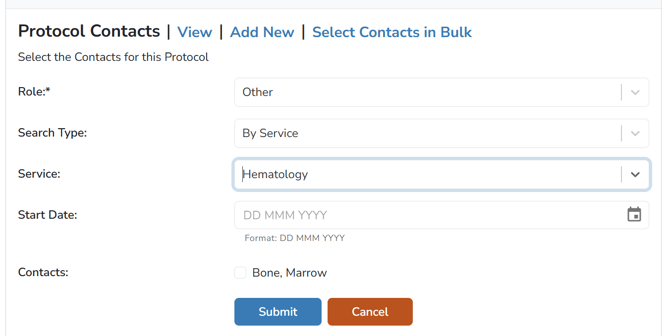
- Select all Contacts as needed
- (Optional) Enter a Start Date. If a date is entered in the future, the contact will be active immediately but show a future start date.
- Click the Submit button