
In addition, uploaded documents can be marked as “Certified”. When users "Certify" a file, they are attesting that the file is a certified digital copy according to the site's SOP. Certification can only occur once a file has been uploaded and can be applied to any type of file. However, certifications cannot be applied to files that are created with Vestigo.
During active monitor visits, Verify users will be able to see if a file is certified or not.
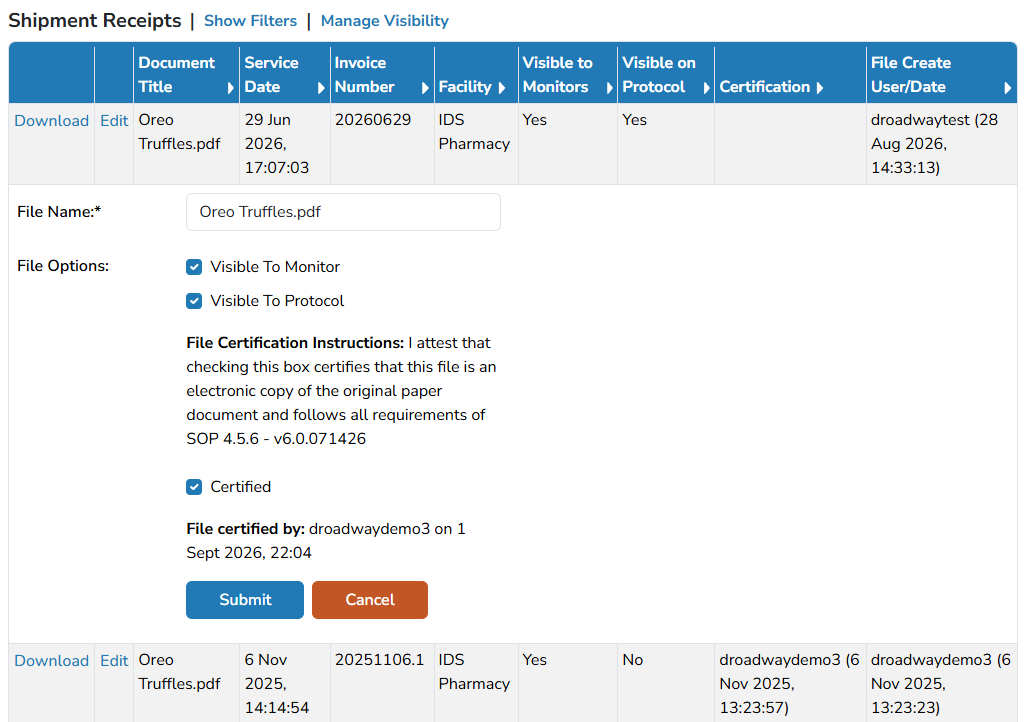
Local Vestigo Site Administrators should update the default text that is visible to users to reference local site policies. Please review this article.
- Locate the file you want to download and click Edit
- Check the Certified flag
- Click Submit