Required Permissions
DrugSearch - Search for drugs under Inventory Management
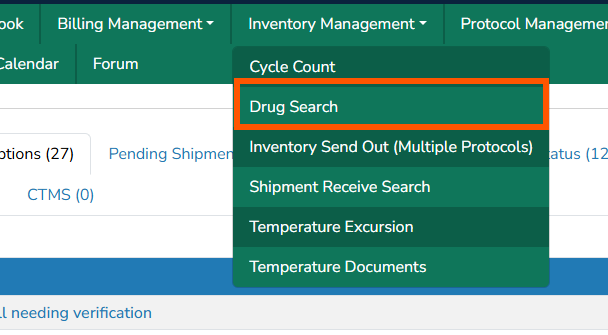
The Drug Search functionality allows users to quickly pull in information that is related to drug builds or inventory across all protocols. It can be accessed by click on Inventory Management > Drug Search.
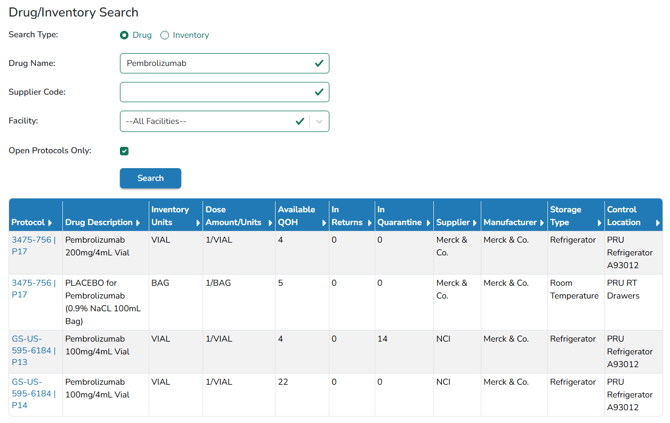
You can search at the drug level or for a specific inventory at a specific facility. When searching at the drug level, enter the first part of the drug name to search. A partial name search can also be used. The default search criteria will include All Facilities the user has access to and Open Protocols Only.
Tip - The drug and inventory search panel will include quantities in returns and quarantine to assist users in locating and updating inventory, as needed.
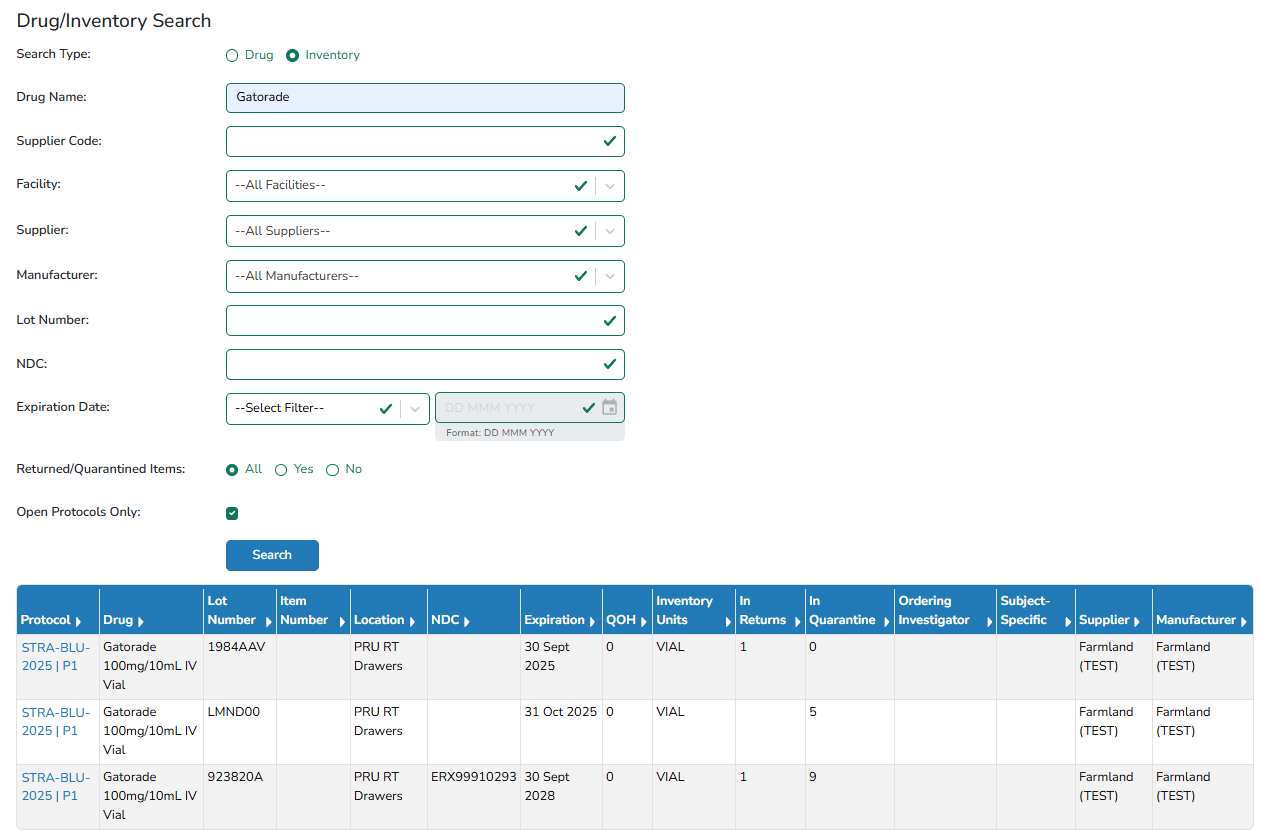
When searching for an Inventory, you can search for any combination of drug name, supplier, lot number or expiration date. This will allow you to find all inventories from a specific supplier or all inventories with an expiration date less than a specified date.