
If the participant's name has changed or it was entered incorrectly, you can edit the patient information or demographics from the Patient Master screen.
Permissions Needed
AdminMain – Access the application administrative menu
EditPatientMaster - Ability to edit a patient master record
Editing A Participant/Subject Demographics
All edits to the participant’s record will affect historical information associated to the participant across all protocols where they were enrolled.
- Hover your mouse over Main at the top right of the screen and click on Application Administration
- Click on the Patient Master under Client and Facility
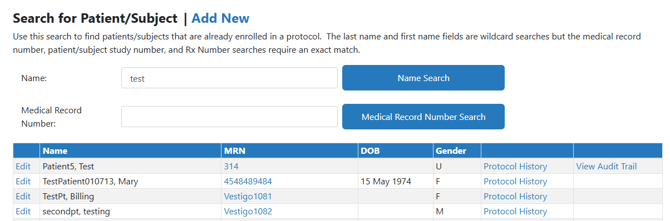
- Search for your patient by entering their name or by Medical Record Number (MRN)
- Click the corresponding Search button
- Click on Edit for the participant you want to modify
- You can make edits to the basic patient information, or you can expand the 4 categories to add or modify information as needed
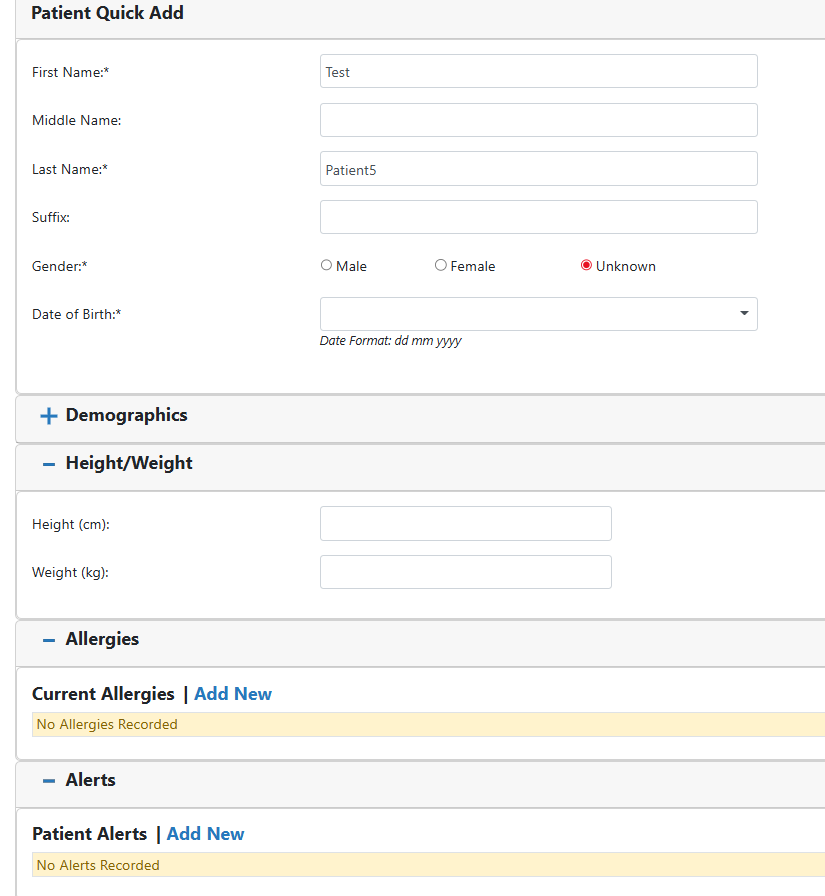
- Scroll down and click on Save Full Profile