
If you need to edit the medical record number for any reason, the application will do a duplicate check to ensure it is not in use.
Permissions Needed
AdminMain – Access the application administrative menu
EditPatientMaster - Ability to edit a patient master record
Editing A Participant/Subject MRN Number
All edits to the participant’s record will affect historical information associated to the participant across all protocols where they were enrolled. Only use this function to correct spelling or to provide supplemental information. Do not use this to change one participant to another.
- Hover your mouse over Main at the top right of the screen and click on Application Administration
- Click on the Patient Master under Client and Facility
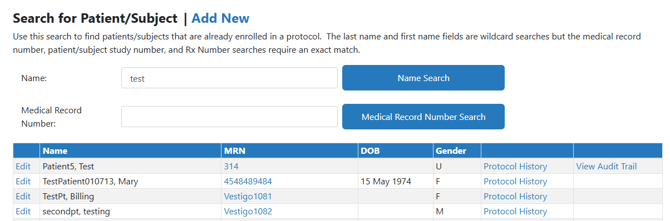
- Search for your patient by entering their name or by Medical Record Number (MRN)
- Click the corresponding Search button
- Click on Edit for the participant you want to modify
- Click Edit to the right of the MRN
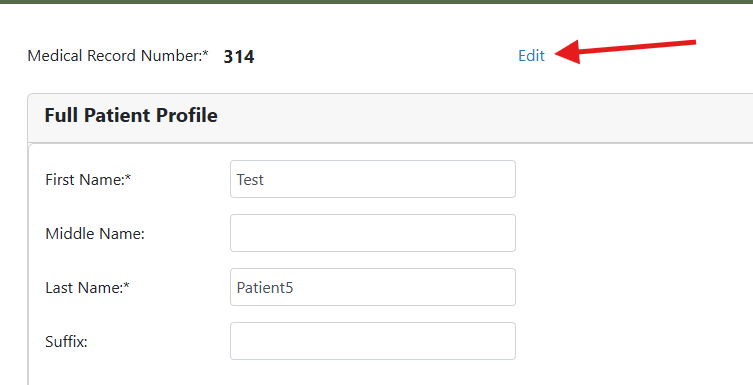
- Update the MRN
- Click on the Check link to have the application check if the MRN number has already been used.
- If it has not been used, the new MRN will be bolded
- Scroll down and click on Save Full Profile