Contents
- Enrolled Patients/Subjects
- Patients to be Enrolled from CTMS
- Enrolled Patients with CTMS Status Changes
- Subject Demographic Updates
There are three sections to the Enrolled Patients/Subjects tab:
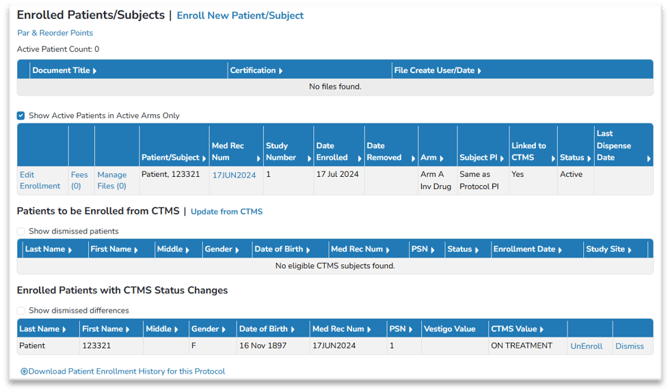
- Enrolled Patients/Subjects: This section displays all participants on the protocol that have been enrolled in an arm by a Vestigo user.
- Patients to be Enrolled from CTMS: This section displays all participants that are available in the CTMS to be enrolled in Vestigo.
- Enrolled Patients with CTMS Status Changes: This section displays all enrolled or unenrolled participants in Vestigo that have had a status change in the CTMS.
Enrolled Patients/Subjects
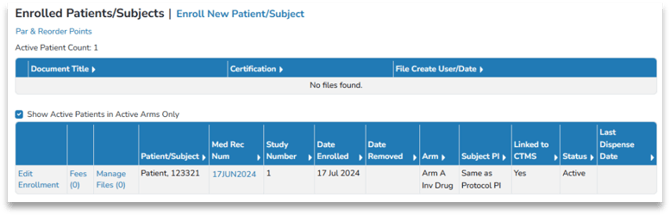
This section displays all participants currently enrolled in the Vestigo protocol. To see participants that have been unenrolled in the study, uncheck the box “Show Active Patients/Subjects in Active Arms Only”. The CTMS interface does not interact with this section – it will only stage updates to be processed.
Patients to be Enrolled from CTMS
Participants enrolled in the CTMS will be available to be enrolled on the Patients/Subjects tab grid “Patients to be Enrolled from CTMS”. Each user can then enroll the participant into Vestigo selecting the correct arm and adding a PSN (Patient Study Number).
- Participants who are not assigned a sequence number (Oncore) or patient subject number (Clinical Conductor) in the CTMS, will have a PSN of “Not Recorded” in Vestigo. The pharmacy can enter the PSN if it is not entered by the interface.
- For interfaces with OnCore, the sequence number in OnCore must be the same as the PSN of the participant when they are enrolled into Vestigo to allow for updates.
- For interfaces with Clinical Conductor, the patient subject number in Clinical Conductor must be the same as the PSN of the participant when they are enrolled into Vestigo to allow for updates.
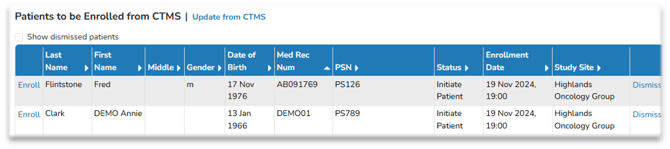
This section displays all participants available for enrollment through the CTMS interface. The Study Site in the CTMS will be displayed, if available. This section is also available across protocols in the CTMS Alerts tab of the Home Screen alert panel.
- Enroll the participant in Vestigo by selecting the “Enroll” link and completing the form to assign an arm and confirm any enrollment fees.
- Dismiss enrolling the participant in Vestigo by selecting the “Dismiss” link. To see participants who have been dismissed from the protocol – uncheck the box “Show dismissed patients “.
In cases where a protocol is loaded to Vestigo multiple times (for clients with multiple control locations and/or facilities), participants dismissed from the enrollment grid on one protocol will still be available for enrollment on other protocols.
- For interfaces with OnCore, participants with a status of Consented, Consent Waived, Eligible, On Study and On Treatment will be available to enroll.
- For interfaces with Clinical Conductor, participants with a status of Prescreened, Screened, Run-in and Randomized will be available to enroll.
Enrolled Patients with CTMS Status Changes
This section displays all Vestigo participants on the protocol that have a significant status change in the CTMS. The most common case would be a participant that is enrolled in Vestigo but has been designated as Off Treatment in the CTMS. A participant may also be unenrolled in Vestigo and have a new value in the CTMS indicating they should be re-enrolled. This section is also available across Protocols in the CTMS Alerts tab of the Home Screen. Vestigo does not automatically “enroll” or “unenroll” participants. This action must be done by the IDS.

| CTMS System | Ready to Enroll Statuses | Ready to Unenroll Statuses |
| OnCore Interfaces | Consented, Consent Waived, Eligible, On Study, On Treatment | Off Study, Off Treatment, Expired |
| Clinical Conductor Interfaces | Prescreened, Screened, Run-in, Randomized | Completed, Follow-up, Non-Qualified, Screen Failed, Run-in Failed, Dropped |
Patient Demographic Updates
Changes to a participant’s name, address, date of birth or gender are staged to be updated in Vestigo on the Patient’s Profile.
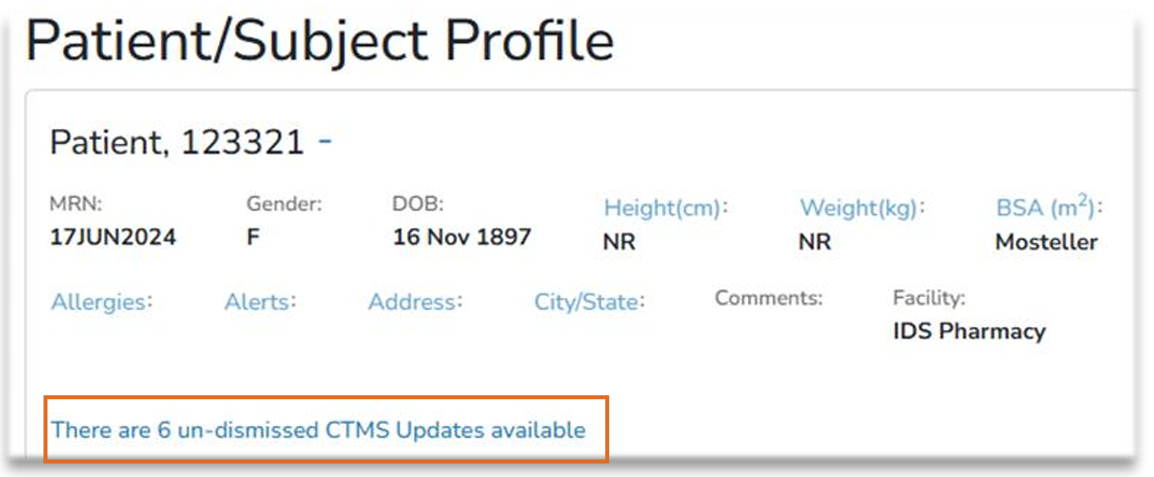
To get to the Patient Profile, select the Patients/Subjects tab, and then select the participant’s MRN.
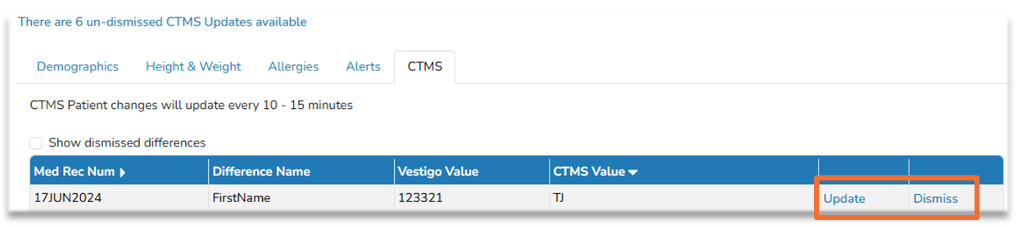
- If there are no updates, the message will display as “There are no un-dismissed CTMS Updates available”
- If there are updates, it will display as “There are # un-dismissed CTMS Updates available” link to load the updates.
- Select “Update” to update the participant’s master record in Vestigo.
- Select “Dismiss” to remove the record from view. To see participant demographic updates that have been dismissed – uncheck the box “Show dismissed differences.”