
The calendar functionality is facility specific, and it is important for users to be logged into the appropriate facility while entering details in the Calendar and/or entering study specific information that will appear on the Calendar. The calendar can be accessed from the green global navigation menu at any time in Vestigo.
The calendar is defaulted to display by one month at a time, but users can select to view by week or day. This setting will revert to month upon exiting and returning to the calendar, and may be updated in the future to remember the user's selection.
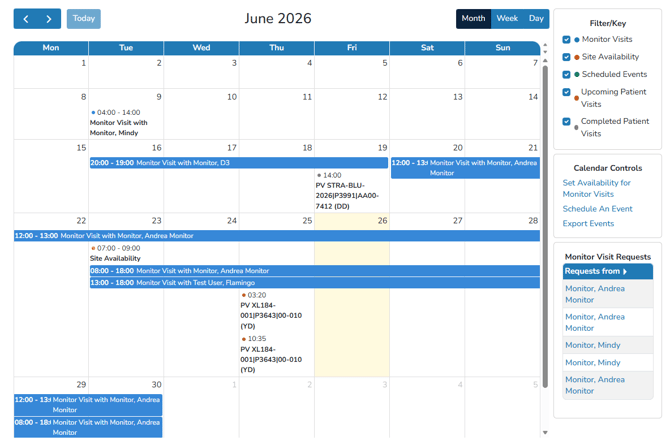
The blue arrows in the top left corner make navigating to the previous or next month (week or day) easier. Selecting the “Today” button will quickly return the user to the current month, week, or day.
The default display will also be set to show all entries. All entries are color coded to help identify.
- Monitor Visits (blue)
- Site Availability (maroon)
- Events (green)
- Upcoming Patient Visits (orange)
- Completed Patient Visits (gray)
Uncheck the corresponding boxes to filter these items from the display. Recheck the boxes to return them to the calendar view.
Monitor Visits
Monitor Visits scheduled from the protocol or from the global Monitor Visits will display on the calendar. Users can click on scheduled monitor visits to see the visit details, such as protocols, and any internal notes applied to that visit. Users can also adjust details relating to the visit if needed.
Site Availability
If there is open site availability on any given day, users can click on the availability to review details associated with the site availability. If a monitor requests a visit on the site availability, the availability will dissapear.
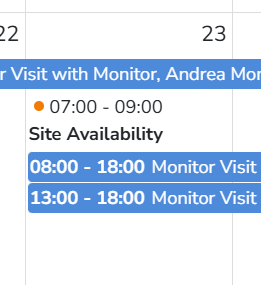
If you delete a recurring event, it will delete all future events and may need to be created.
Events
Events are designed to be an ad hoc calendar addition, and the site can use it as needed. Some use cases on this would be you want to note an upcoming audit or a simple reminder to maybe recall a box from a warehouse. Users can choose from the following type of Events:
- Audit Preparation
- Regulatory Reminders
- SIV/Pre-Site Visits
- Time Off
- Licensure Expiration Dates
- Other
Patient Visits
Clicking on a patient visit will pull up information related to the scheduled patient visit. It will display some information relating to the visit but also allow the user to process the visit and navigate directly to a dispensation.