
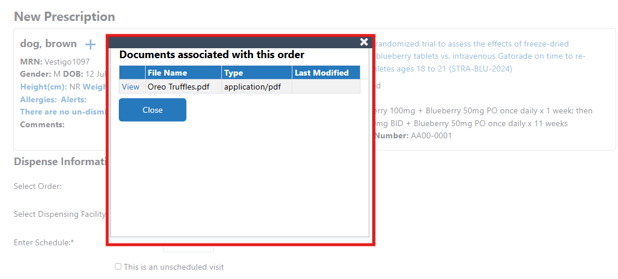
If a site would like to have files pop up as an alert style window when entering or verifying prescriptions, this can be toggled on from the facility settings.

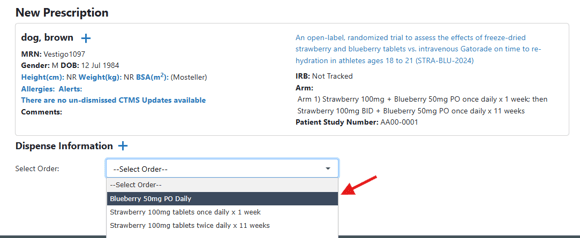
If enabled, when a user starts the process to record a prescription and the order build has files uploaded, they will get a pop up alert after order selection with the documents related to that order build.
Permissions Needed
AdminMain – Access the application administrative menu
EditClientandFacilitySettings - Along with AppAdmin, this permission should enable/disable the "Edit Client and Facility Settings" page
FacilityEdit - Along with AppAdmin and EditClientandFacilitySettings access, this permission should enable/disable to view/edit facilities located under "Edit Client and Facility Settings" page
Users must have a role that has the FacilityEdit permission in the facility to make any modifications.
Modifying Order-Related Files for a Facility
- Navigate to Application Administration
- Click on Edit and Client Facility Settings
- Click on View/Edit on the appropriate facility
- Make the appropriate changes to the Order-Related Files flag
- Click Save