
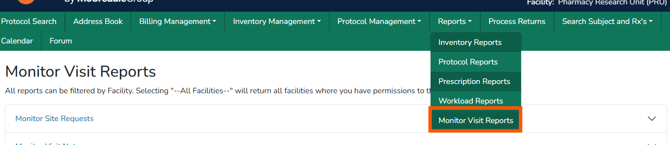
This article outlines Vestigo’s monitor reports and the permissions required to generate them, helping teams understand what information is available and how facility-based access affects report results. From monitor site requests and visit notes to downloadable monitor visit records, these spreadsheet-based reports support accountability, audit-ready documentation, and real-time visibility across monitoring activity in clinical trial operations.
Required Permissions
MonitorVisitReportsAccess - Ability to run Monitor Reports at the global level.
Note - Users will need a role with the report permission per facility they should have access to in order to generate reports for that facility. If a user has a role with these permissions in less than all facilities at that client site, when they select “All Facilities”, the report will only include data for those facilities they have access to, not all facilities actually available within the client site.
| Report | Description | File Format |
| Monitor Site Requests | A report of the monitor requests for visit and access. This requires the site to be using the facility calendar to create availability for the monitors to request. | Spreadsheet |
| Monitor Visit Notes | Report of the Visit Comments and Action Items that are left by the monitor during monitoring visits. | Spreadsheet |
| Download Monitor Visits Available under Protocol Management > Monitor Visits |
This report will download all visible monitor visits from the page based on the filters applied | Spreadsheet |
Tip - Files that can be downloaded as a spreadsheet allow the user to apply site filters or sorting.