
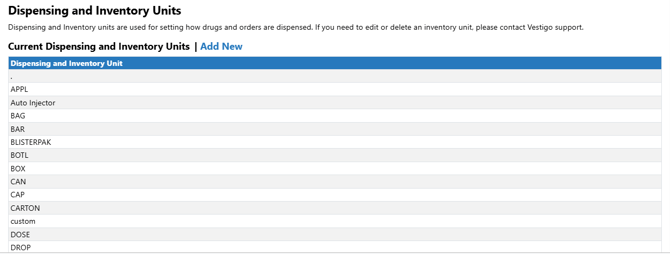
Vestigo dispensing units are used to define drug builds and order units within the application. These units define how inventory is received, dispensed, and the dose. The dispensing unit is visible on multiple reports including the DARF.
Permissions Needed
AdminMain – Access the application administrative menu
EditClientandFacilitySettings - Along with App Admin, this permission should enable/disable the "Edit Client and Facility Settings" page
DispensingUnits - Application Administration > Edit Client and Facility Settings > Dispensing Units. Ability to add and edit dispensing units
Adding a Dispensing Unit
- Navigate to Application Administration
- Click on Edit and Client Facility Settings
- Click on Dispensing Units under Client Settings on the right side
- Click on Add New
- Enter the description of the new Dispensing Unit
Once a dispense unit has been added, it cannot be modified by the site. Please ensure the unit is entered correctly prior to saving.
- Click Save
Editing or inactivating a Dispensing Unit
Sites cannot modify or remove dispensing units. If modifications are needed, please contact Vestigo support with the request and justification. Inactivating Dispensing Units does not impact historical transactions but will prevent users from being able to use the unit on future transactions, drug builds or order builds.