
Vestigo allows for site to apply certification to files uploaded to Vestigo, confirming that the electronic version is an exact replica of the paper document.
When a file is certified, the user will be listed as the certifying user on that document and when the certification was applied. File certifications are visible in Vestigo and Vestigo Verify.

File certification is defined by the site and any associated SOPs and not by Vestigo or McCreadie Group. It is strongly recommended that the site modifies the default text to reference a local SOP or add local certification instructions.
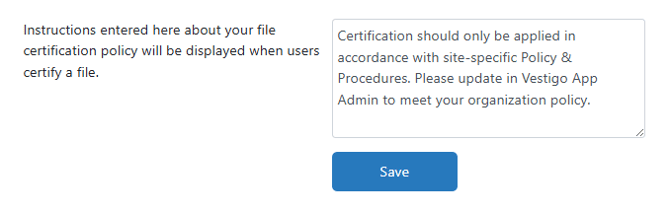
Vestigo includes default text for every client but can be adjusted by a site system administrator to reference any local site SOPs.
Certification should only be applied in accordance with site-specific Policy & Procedures. Please update in Vestigo App Admin to meet your organization policy.
Required Permissions
AdminMain - Access the application administrative menu
EditClientandFacilitySettings - Along with AppAdmin and EditClientandFacilitySettings access, this permission should enable/disable Ability to edit client information under "Edit Client and Facility Settings" page.
Modifying File Certification Text
It is recommended to use generic terminology when modifying the certification text. Local SOPs may change names or numbers over time.
- Navigate to Application Administration
- Click on Edit and Client Facility Settings
- Scroll down and make the appropriate changes to the certification text as needed.
- Scroll down and click Save
Updating Certification Text applies to historical certifications.