
Some sites utilize the NDC number for EHR Dispense Prep systems. This number can be defaulted and can also appear on inventory labels.
If you are updating a drug build NDC number, this may be a two-step process:
-
Updating the drug build (this article) - This only updates future inventory received
- Updating current inventory
If you are looking to modify the inventory NDC number for current inventory, please reference this article.
Adding or modifying an existing NDC number on the drug build creates an audit log entry and records the user who made the change.
- Navigate to the protocol.
- Click on the Edit Protocol.
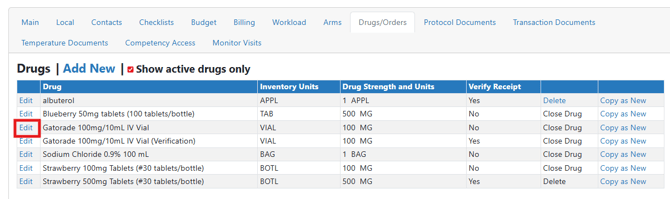
- Click on Drugs/Orders Tab.
- Click Edit on the drug build that needs to be updated.
- Scroll down and locate the Default NDC field.
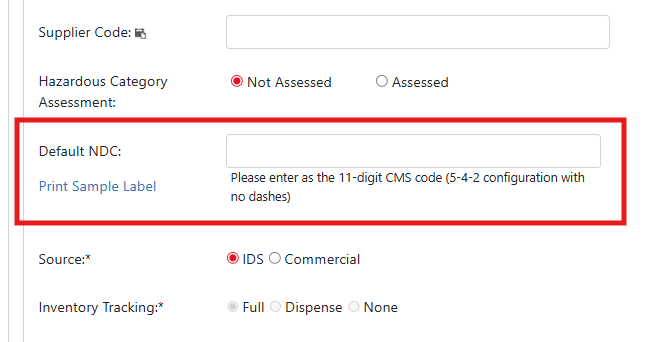
- Add or modify the existing NDC number.
- Scroll down and click the blue Save button.
Users will need to determine if you need to update on hand inventory to reflect the updated NDC.