
Suppliers and Manufacturers can change throughout the course of study, or maybe even from protocol start up. When a site enters a Supplier or Manufacturer, the newly entered data can be used for both data points.
If you are updating a drug build supplier or manufacturer, this may be a two-step process:
-
Updating the drug build (this article) - This only updates inventory on future receipts.
- Updating the current inventory
If you are looking to modify the supplier or manufacturer for current inventory, please reference the supplier article or the manufacturer article.
If you are looking to add or modify an existing supplier or manufacturer, please reference this article.
Modifying an existing supplier or manufacturer on the drug build creates an audit log entry and records the user who made the change.
- Navigate to the protocol.
- Click on the Edit Protocol.
- Click on Drugs/Orders Tab.
- Click Edit on the drug build that needs to be updated.
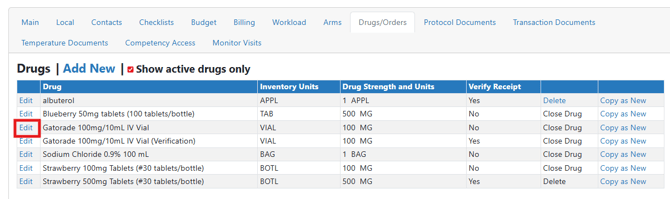
- Scroll down and locate the Default Supplier or Manufacturer fields.
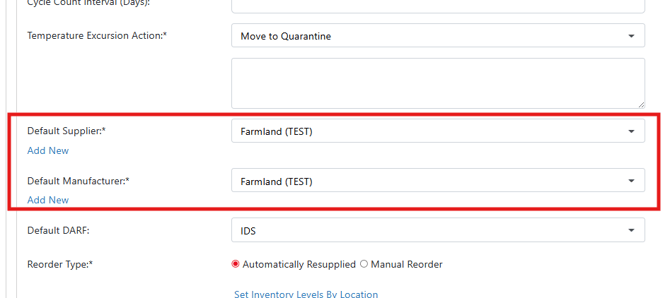
- Select the appropriate supplier or manufacturer from the drop down menu.
If the supplier or manufacturer does not exist in your environment, you can click on the Add New link to add a new supplier or manufacturer.
- Scroll down and click the blue Save button.
Users will need to determine if you need to update on hand inventory to reflect the correct supplier or manufacturer.