
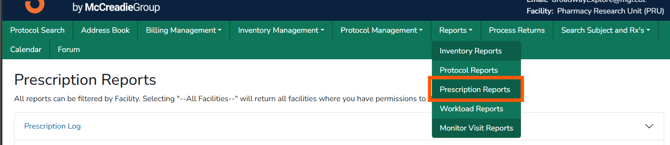
This article outlines Vestigo’s prescription reports, the permissions required to run them, and important considerations for handling sensitive report data. From prescription logs and PDMP reporting to hazardous dispensing counts by route, these spreadsheet-based reports support accountability, compliance, and real-time visibility while helping teams manage prescription activity across clinical trial operations with appropriate caution around participant information.
Caution - Prescription reports contain Participant PII and may be unblinding. Users should exercise caution if the report is shared internally.
Required Permissions
PrescriptionReportsAccess - Ability to run Prescription Reports at the global level.
Note - Users will need a role with the report permission per facility they should have access to in order to generate reports for that facility. If a user has a role with these permissions in less than all facilities at that client site, when they select “All Facilities”, the report will only include data for those facilities they have access to, not all facilities actually available within the client site.
| Report | Description | File Format |
| Prescription Log | Lists the prescriptions for a given data range and facility. Because states have varying requirements for this log, all sites can utilize all available state formats. | Spreadsheet |
| PDMP Prescription Log | A generic Prescription Drug Monitoring Program report for reporting controlled substances (Schedule II – V). This report is not state specific; it contains the majority of required fields and can be used by any state | Spreadsheet |
| Hazardous Dispensing Count by Route | Indicates the number of dispenses per route per hazardous classification per protocol in a specified date range | Spreadsheet |
Tip - Files that can be downloaded as a spreadsheet allow the user to apply site filters or sorting.