
The Print Subject initials on DARF flag in the client settings is considered a master switch. If the setting is unchecked, it overrides all existing and future protocols from having initials on the DARF. It also has impact in the Vestigo Verify application as well.
It is recommended to consult with your organization before modifying this option.
Permissions Needed
AdminMain – Access the application administrative menu
EditClientandFacilitySettings - Along with AppAdmin, this permission should enable/disable the "Edit Client and Facility Settings" page
Print Subject Initials on DARF is enabled
If the flag is checked, this means that every protocol has the option to display subject initials on the DARF.
At the Facility level, it will allow users to modify the default for all new protocols.
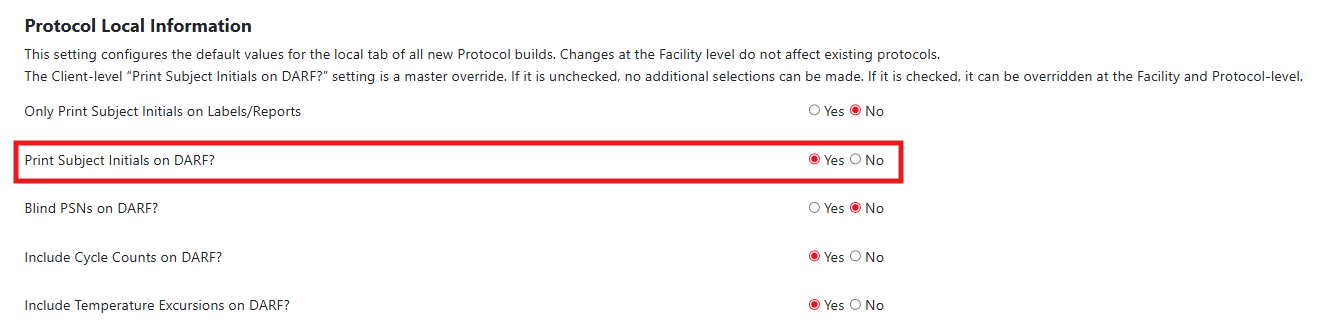
At the protocol level, users will have the option to toggle the default for each protocol. The default can be overridden when generating a DARF.
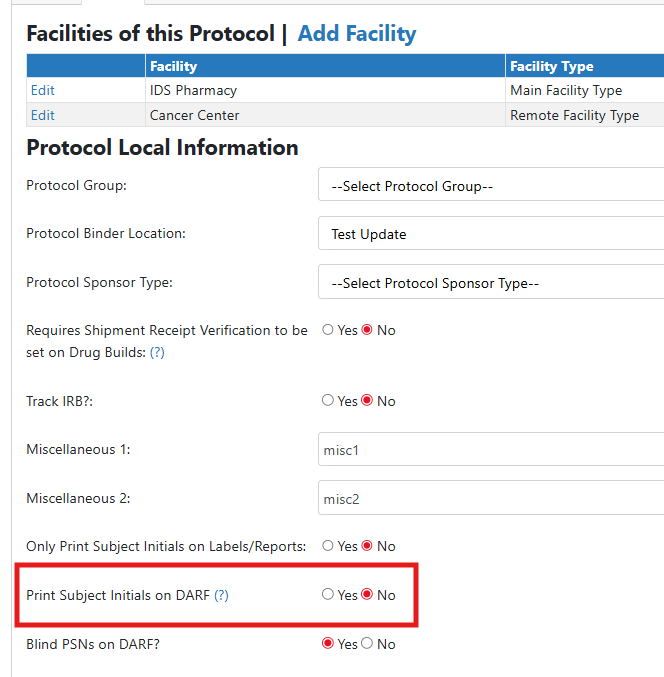
Print Subject Initials on DARF is Disabled
If the setting is disabled in the client settings, it will override all protocols and not allow users to default the settings to run with subject initials. If a protocol previously allowed this, but the master override was unchecked, that protocol will no longer be able to view subject initials on the DARF.
IDS users will not be able to modify the setting at the facility or the protocol level.
Subject Initials and Vestigo Verify
If the setting is checked in the client settings and the protocol setting is to allow subject initials on the DARF, monitors can run DARFs with subject initials on them. They can optionally choose to uncheck the flag at time of DARF generation to run the DARF without the initials.
If the setting is unchecked at the protocol level or the master override is unchecked, monitors will only be able to run the DARF without subject initials.