
If you need to capture a one-time workload value on a protocol, you can do so without adding a subcategory. This is useful for tracking activities that aren’t tied to specific Vestigo transactions but still need to be accounted for.
Prerequisites
Workload Subcategories must already be established.
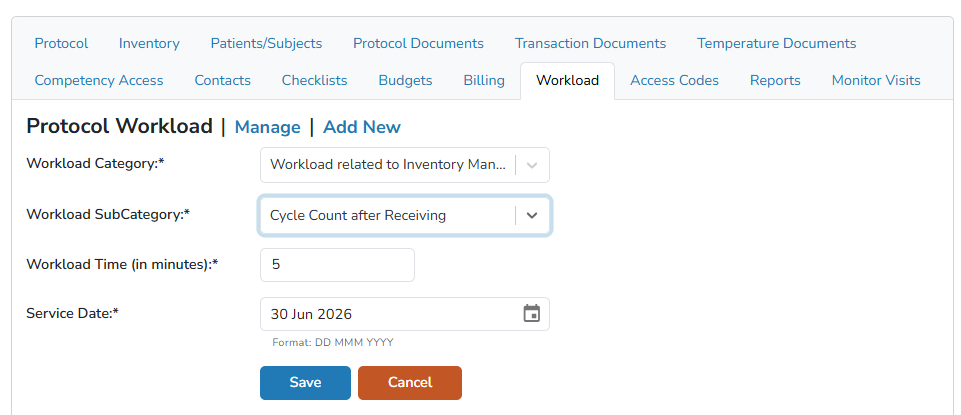
Recording an Ad-Hoc Workload
- Navigate to the protocol
- Click on the Workload tab
- Click on Add New
- Select the Workload Category from the dropdown
- Select the Workload SubCategory from the dropdown
- Modify the Workload time, if needed
- Modify the Service date, if needed
- Click the blue Save button