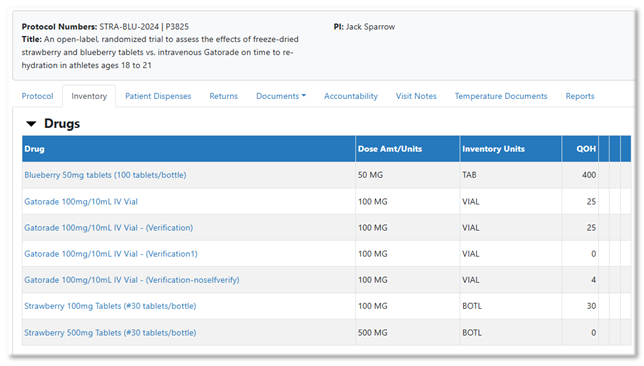
The inventory tab displays the drug(s) in the protocol. When clicking on a drug, all associated Inventory transaction detail can be viewed for all drugs with Full inventory tracking selected on the drug build.
Inventory with a quantity on hand (QOH) of 0
By Default, Vestigo will only display inventory that is greater than 0. To review previous inventories, you can uncheck the status flag “Show only inventory with a QOH greater than zero.”

Viewing transactions at an inventory specific level
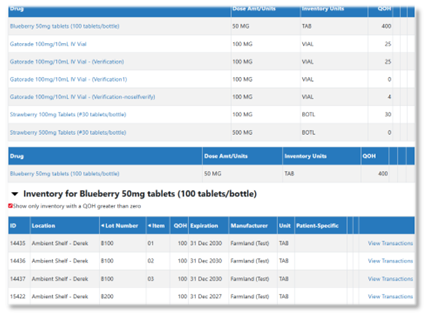
Select the drug name for which you want to view all inventory. This will display all inventory currently available for that drug. To review another drug, you can click on any of the drugs available under the top Drug.
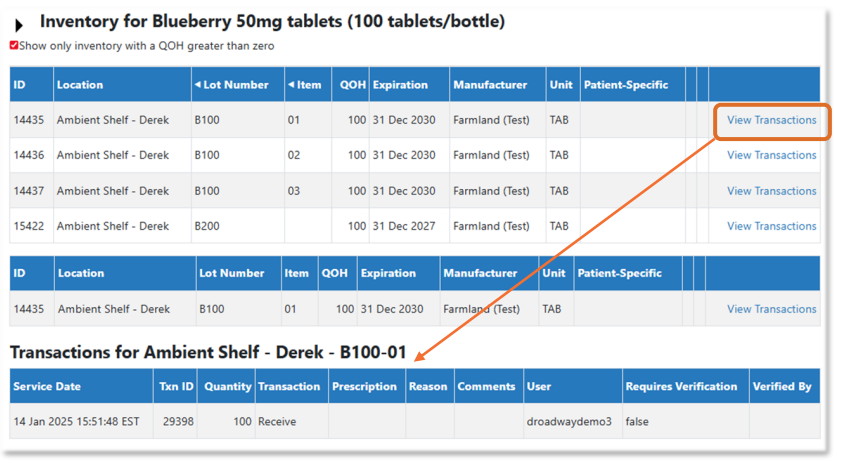
To view transactions at an inventory level (lot specific or lot/item specific), select the link “View
Transactions” on the right. The transaction detail will display below the Inventory field with the details such as date, transaction type, prescription details, comments, and user who completed that transaction.