
Drug returns is a virtual inventory location for managing returned drugs. Returned Drugs come from patients tracked by the pharmacy, and from inventory adjustments for expired or unused items. Quarantined inventory also appears on this screen.
The Returns tab has four dispositions:
- Returns - Participant Returns
- Quarantine - Inventory adjustments
- Destroyed - Items already destroyed by the IDS Pharmacy
- Returned to Sponsor - Items already returned to the sponsor by the IDS Pharmacy
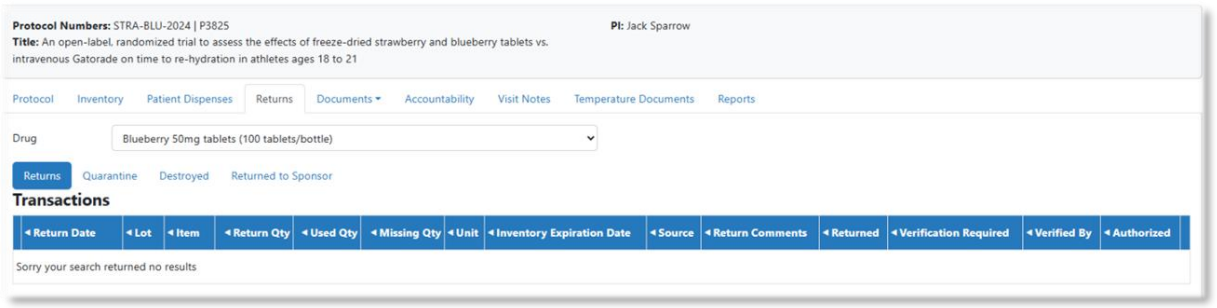
Select a drug from the dropdown list, then select a disposition. If there is inventory, the screen will display that data.
Note - If there is no inventory in that disposition for the selected drug, the screen will indicate “Sorry your search returned no results”.
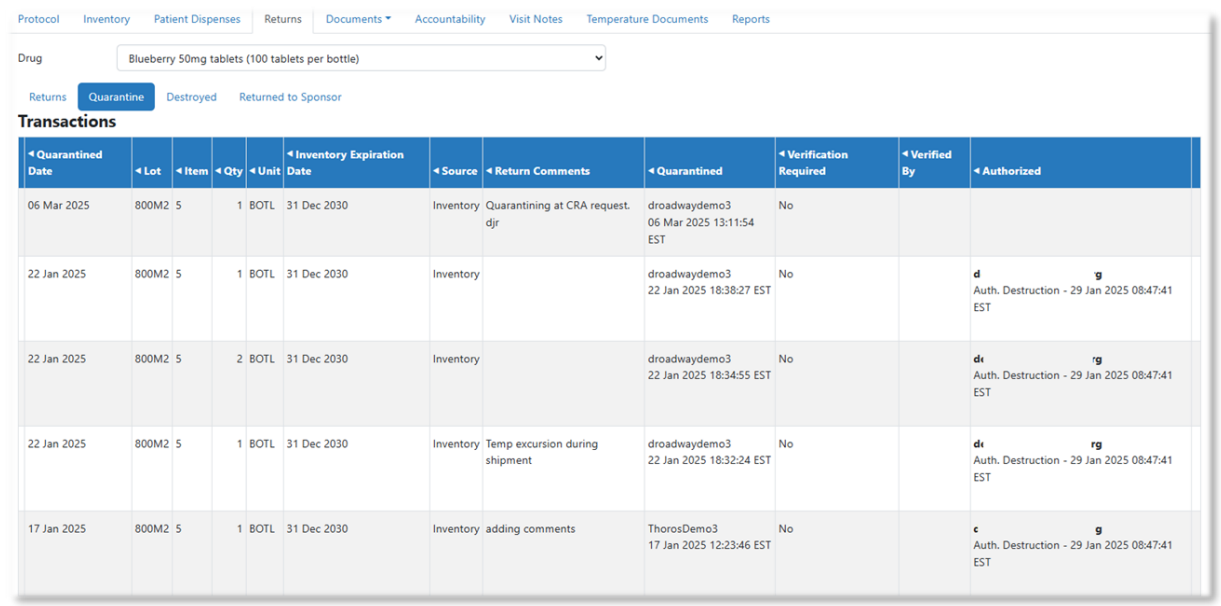
The lot and item number columns are sortable, which helps organize items in returns. Each page displays a limited number of transactions, and users can move between pages and select how many transactions appear per screen.