
One of the first steps to setup quality checks is to define what role can perform quality checks. There are two types of permissions available for quality checks that can be applied to each role
- Can QC Self - If the user performs the type of inventory transaction, they can QC their own transaction in the QC alerts.
- Can QC Other - Can QC transactions performed by other users in the QC alerts.
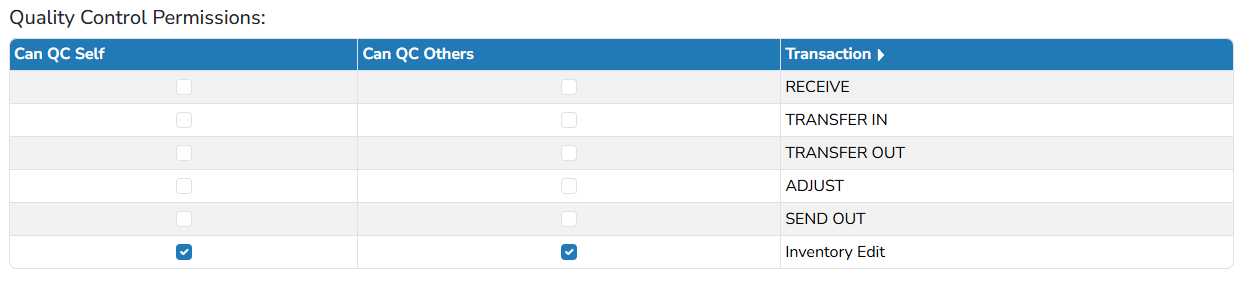
To set up Quality Checks for each role, a local Vestigo System Administrator can follow these steps
- Navigate to Application Administration
- Click on Manage Application Roles and Permissions
- Locate the Application Role and click View/Edit
- Scroll down to the bottom of the page
- Check on/off for each of the transaction types the user should be able to QC.
- Click Submit