
Users who have access to multiple facilities within their Vestigo environment are asked what facility they would like to login to on each login. Vestigo allows the user to set a default facility that they will be automatically logged in when they authenticate.
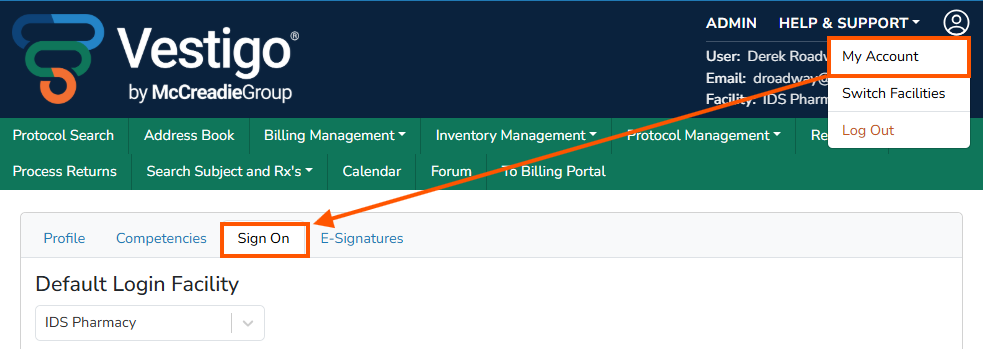
- Click on the Profile Icon and then My Account
- Click on the Sign On tab
- Select the facility from the drop down menu
- The available facilities for the user to select are determined by their access set by a system administrator
Any changes will automatically be saved to your Vestigo account.