
Required Permissions
ShipmentReceiveSearch - Allows for a user to search for shipment receives on the facility level
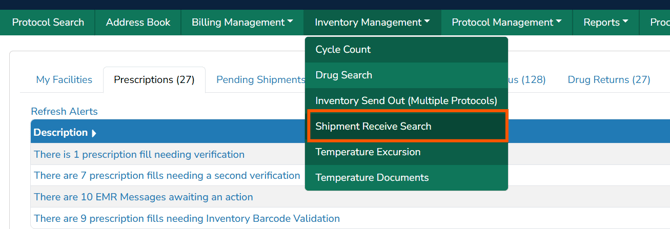
The Shipment receipt search functionality allows users to quickly pull in information that is related to shipment receipts across a time span and facilities. It can be accessed by click on Inventory Management > Shipment Receive Search
By default, the grid will pull in the past 3 months of shipments and for all facilities that the user has access to. This can be adjusted as needed, but it is not recommended to display more than 6 months of data. Both external shipping receipts, and internal sendouts that are received will display on this screen.
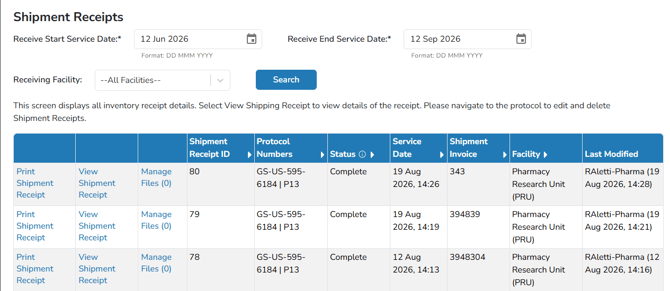
From this screen, Vestigo displays the status of each shipment, and also allows users to do every day tasks, such as uploading documentation, or reprinting any labels from a shipment. If a shipment is not completed, a Complete link will be visible to allow the user to complete the shipment. However, if items need to be added to the receipt, users must navigate to the protocol to add additional inventory.