
The Quality Check functionality allows users to confirm or reject inventory transactions including receipts, edits, adjusts, transfer in and out, and send outs. Each facility will establish which quality checks they wish to perform, each roles ability to quality check for each transaction type, and a start date.
Note - Additional inventory transactions can still occur against inventory whether or not the quality check has occurred. If a transaction is rejected during quality check, the transaction needs to be addressed manually. The original transaction is not cancelled/removed.
If inventory is transferred or received to an inventory location in a facility where Quality Check is disabled, the alert will not display in the alerts for that facility.
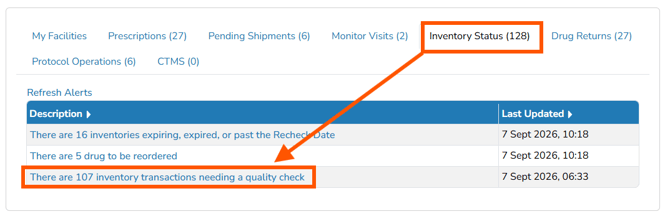
Once QC is turned on, the Main Screen will display an alert indicating the inventory transactions needing a quality check.
This article will reference other articles in a guide to follow to get sites started using Vestigo Quality Checks.