The types of users that could have this role could include but not limited to internal auditors or study coordinators.
These users login to Vestigo at the unique site URL, similar to IDS users. As such, they will follow similar authentication method requirements, like SSO or MFA. If they need reset their password, they should determine what authentication they use and follow that method listed in this article.
Vestigo Home Screen
The protocol specific user Vestigo Home Screen will appear similar to what a external Vestigo Verify user will see. The home screen will show all protocols available to the Protocol Specific User where they have been added to the protocol as a contact role of Study Coordinator, Internal Auditor, Internal Reviewer, and the protocol is active at the site. If the protocol has been closed out, they will not see the protocol.
At the top of the screen is a navigation menu that users can use to modify their account settings or access the Help Center.
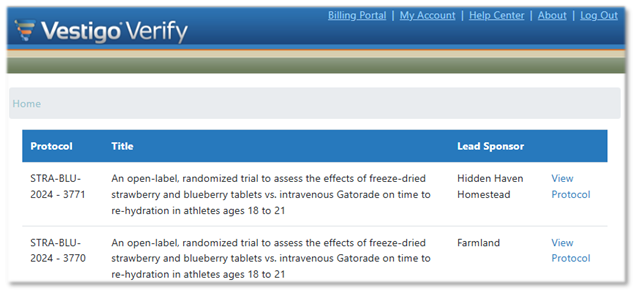
- My Account – Your demographic information and where you can change your password
- Help Center – Access to the Vestigo Verify Help Center
- About – Review the current version of Vestigo.
- Billing Portal – Some users may see this if their account also has access to the site’s billing portal.
Select “View Protocol” to enter read only access to that protocol.
Note - If you do not see a protocol that you should have access to, this could mean one of two things. Either you haven’t been added as a contact with appropriate access to the protocol contacts, or the protocol is closed in Vestigo. Protocol Specific Users are unable to see closed protocols.
Protocol Header
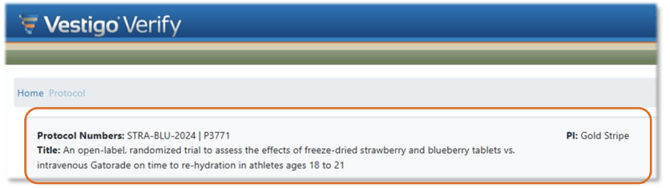
Once you have selected a protocol, the Protocol Header contains the Protocol Numbers, Protocol Title, and the Primary Investigator.
This is the main view of the protocol which consists of eight pieces of information: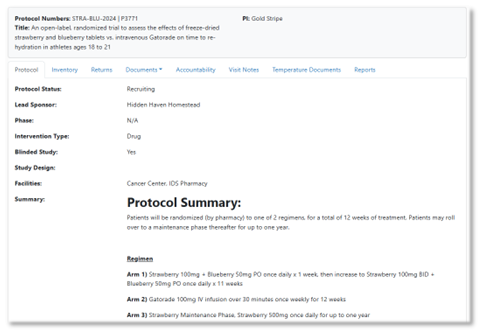
- Protocol Status
- Lead Sponsor
- Phase
- Intervention Type
- Blinded Study
- Study Design
- Facilities
- Summary
Protocol Tabs
Users can access multiple tabs to review the data for the protocol. You may select any of the following tabs:
-
Protocol
-
Inventory
-
Patient Dispenses *
-
Returns
-
Documents
-
Accountability
-
Visit Notes
-
Temperature Documents
-
Reports
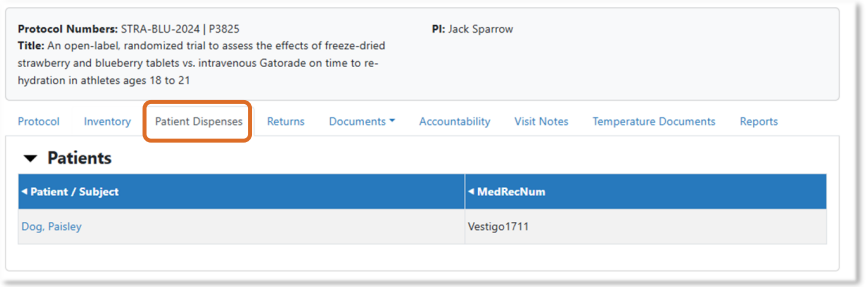
* Only for users who have the contact role of Study Coordinator with Returns on the protocol.
An additional tab, “Patient Dispenses”, will be available. The screen shots used in this manual contain this additional tab but for those without the Returns functionality, this tab will not be available.